How to Choose an AI Transcription, Subtitle, and Dubbing Tool Before You Pay
Upload one real meeting or interview recording before you pay for any AI transcription, subtitle translation, or dubbing tool: check speaker labels, timestamped notes, exports, and whether unused hours expire.
Key Takeaways / TL;DR
- Start with your own recording: your first transcription in Voicee Studio is free, so you can check names, terms, and speaker labels before spending anything.
- From one uploaded recording, you can order a speaker-labeled transcript with clickable timestamps, a Business summary, SRT/VTT subtitles, translated captions, or a dubbed video file in one browser studio.
- Add files from your device, paste a link, or record with your microphone at my.voicee.pro — no bot connects to your calendar or joins live calls.
- One-time hour packages ($7 / €6 for 1 hour up to $204 / €182 for 50 hours) carry no monthly subscription, and purchased hours never expire.
What to Check on Your Own Recording Before Paying
| What Matters | Question to Test | What You Get in Voicee Studio | Why It Saves Time and Budget |
|---|---|---|---|
| Adding a recording | Can I work from existing files and links without connecting my calendar? | Upload audio or video files, paste a link, or record from your microphone at my.voicee.pro | You process only the recordings you choose, with no call bot in the room |
| Who said what | Are speakers separated and tied to exact moments in the audio? | Automatic speaker labels, clickable timestamps like 00:02, and inline Silence markers | Check any quote against the original recording in one click |
| Meeting follow-up | Can I check summary points against the recording? | Business summary with an overview, main topics with time ranges, agreements and recommendations next to the Transcription tab | Open the Transcription tab and click timestamps there to verify wording |
| Subtitles and dubbing | Do I need separate tools to caption or translate the same video? | SRT and WebVTT export, subtitle translation, and video dubbing with AI voices cloned from the original speakers in one project | Prepare transcripts, captions, and dubbed video files in one workspace |
| Pricing and unused time | Do I lose unused balance at the end of a quiet month? | Your first transcription is free; paid packages of 1, 3, 10, 20, or 50 hours ($7 / €6 to $204 / €182) are paid once by Visa or Mastercard | No recurring subscription charges, and unused hours stay in your account until you need them |
Steps to Your Result
Upload a Real Recording You Already Know
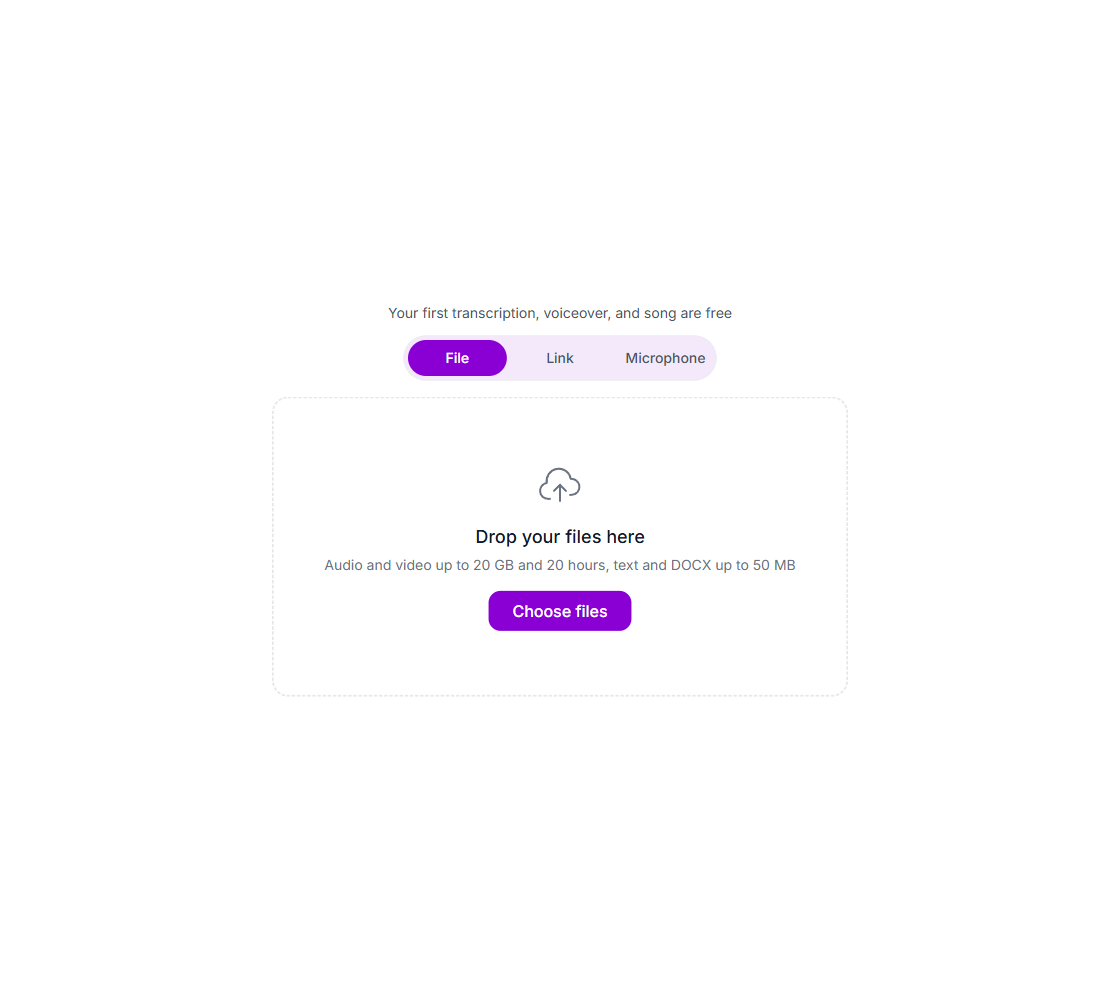
Sign in at my.voicee.pro, stay on the File tab, click Choose files, and upload a meeting, interview, or lecture where you know the speakers and terminology. Your first transcription is free, so you can evaluate real speech right away.
Run Transcription, Then Add Subtitles on the Same File
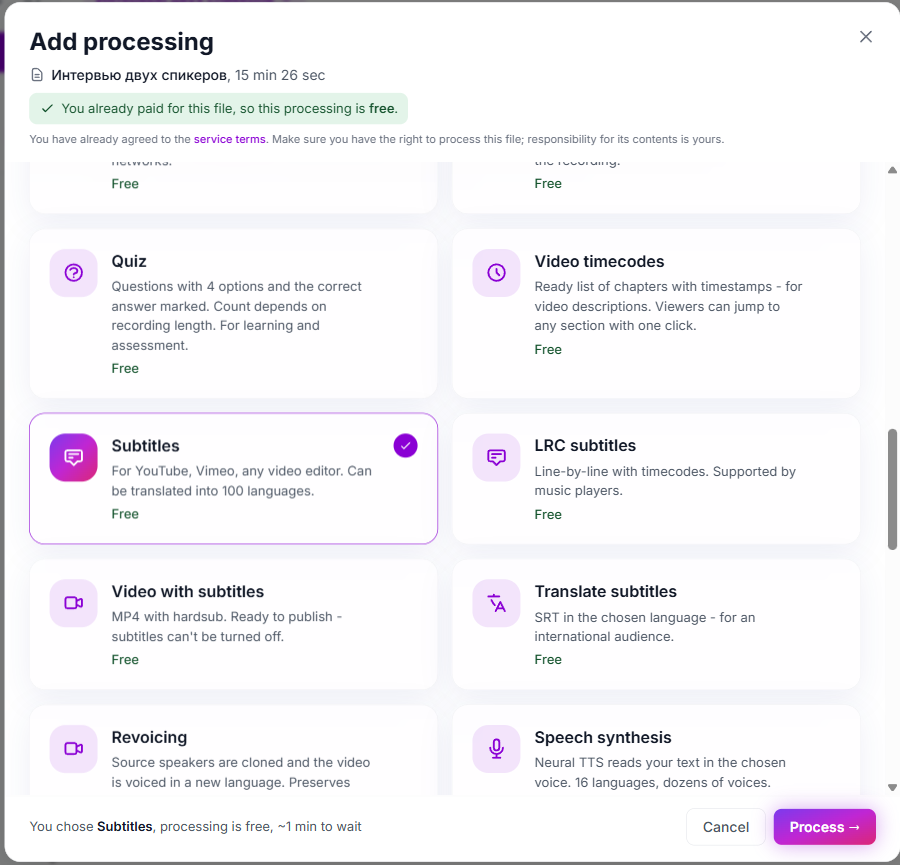
Select Transcription and click Process to get a speaker-labeled, timecoded transcript. Once it opens, click Add processing, choose Subtitles, and click Process again to turn the same recording into timed captions without uploading it twice.
Verify Quotes and Export Your Files
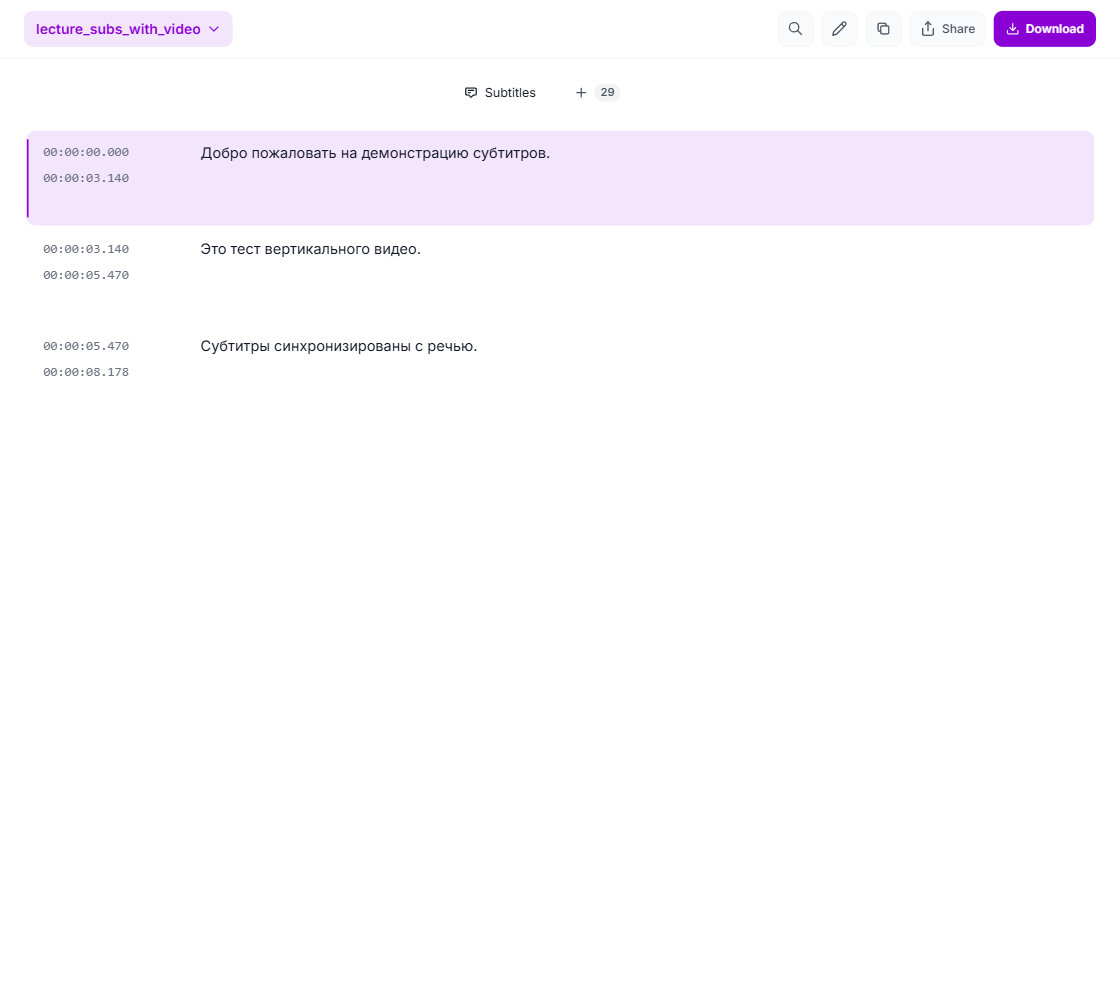
Click a few timestamps to hear the matching moments and check names, speaker turns, and cue breaks. Open the Subtitles tab and click Download to save SRT or WebVTT files, and download plain text from the Transcription tab.
Keep Transcripts, Notes, Subtitles, and Dubbing in One Workspace
Moving a recording across separate apps can take extra work: when you copy plain text without timestamps, you lose the references needed to check quotes, and rebuilding captions means reviewing their timing again.
In Voicee Studio, you can order several results from one upload. Start with the speaker-labeled transcript, switch tabs for the Business summary, or click Add processing to create SRT/VTT subtitles, translated captions, or a dubbed video file with AI voices cloned from the original speakers.
Pay Only for the Hours You Actually Need
Before paying for any tool, check two things: whether you can check summary points against the audio, and what happens during months when you record very little. In Voicee Studio, the Business summary includes main topics with time ranges, and you can open the Transcription tab and click the timestamp there to hear the recording.
When you need more balance after your free first transcription, buy a one-time package of 1 hour ($7 / €6), 3 hours ($18 / €16), 10 hours ($54 / €48), 20 hours ($95 / €85), or 50 hours ($204 / €182) with Visa or Mastercard. Open my.voicee.pro and upload a recording of your own to compare the transcript and summary in their tabs.
Frequently Asked Questions
How should I check transcription accuracy for my language before buying?
Upload a recording with real names, accents, and domain terms at my.voicee.pro — your first transcription is free. Click through the timestamps to compare the text and speaker labels against the audio. The Voicee Studio interface is available in English, Russian, Spanish, German, French, Italian, Portuguese, Polish, Dutch, and Turkish.
Can I use Voicee Studio without a recurring monthly subscription?
Yes. Voicee Studio sells one-time hour packages paid with Visa or Mastercard: 1 hour costs $7 / €6, 3 hours $18 / €16, 10 hours $54 / €48, 20 hours $95 / €85, and 50 hours $204 / €182. Purchased hours never expire, and there are no recurring monthly charges.
Turn a Recording Into Something Your Team Can Use
Start with a transcript, then prepare notes, decisions and action items from the same recording.